








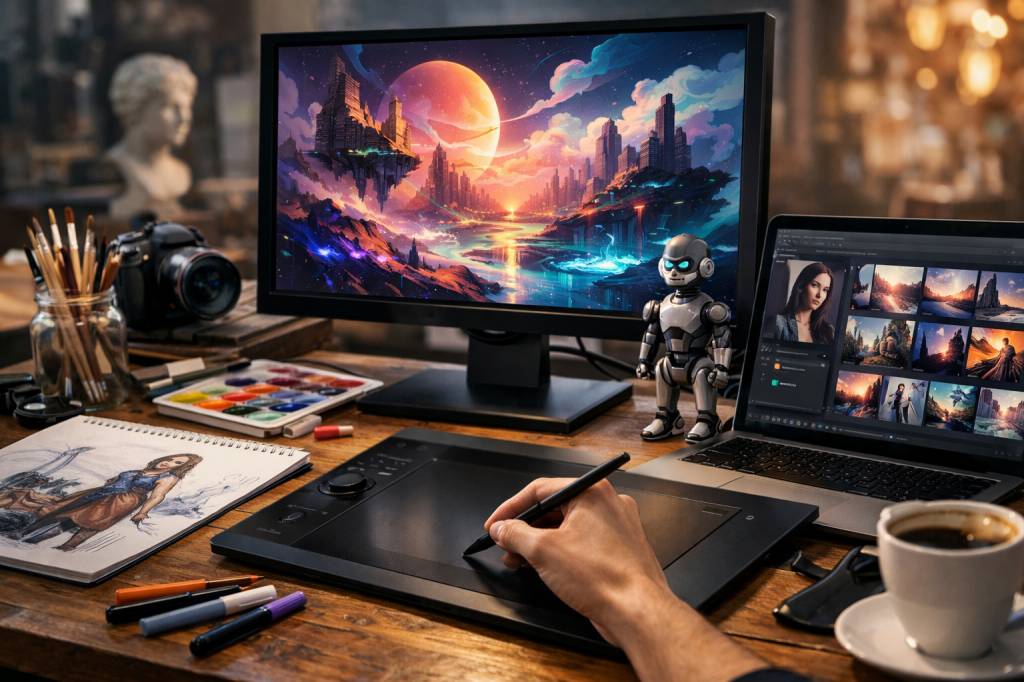
Scroll any design feed today and you’ll see it: posters, logos, 3D visuals and surreal campaigns tagged with “Made with AI”. Generative AI has slipped into the daily life of designers so fast that the real question is no longer “Should I use it?” but rather “How far can I go with it without losing control?”
As tools like Midjourney, DALL·E, Stable Diffusion and Adobe Firefly become mainstream, graphic design is shifting from “pixel pushing” to “prompt crafting”, from time-consuming production to rapid exploration. But behind the hype, what’s really changing in the way visuals are imagined, created and delivered?
From empty canvas to idea accelerator
Every designer knows the terror of the blank page. Generative AI doesn’t magically remove it, but it does something almost as valuable: it compresses the distance between a vague idea and a first visual draft.
Instead of spending hours sketching variations, a designer can now:
- Describe a concept in natural language (“futuristic food truck logo, neon palette, flat design, friendly but premium”)
- Generate dozens of proposals in a few minutes
- Pick, refine, mix or paint over the most promising directions
In practice, that means ideation phases are getting shorter, and more playful. The tool becomes a brainstorming partner that throws ideas on the table at industrial speed, while the designer keeps the editorial and aesthetic control.
A London agency I spoke with used to allocate two days for early moodboards for a brand identity. With AI-assisted workflows, that stage now takes half a day. Not because they are lazier, but because they can test 50 hypotheses where they used to test five. The real work has shifted: less “let’s see what we can get in time”, more “let’s choose what really makes sense for the brand”.
New tools, same job: the designer is still the filter
There’s a recurring fear that AI will “replace designers”. If you’ve spent more than 10 minutes on any logo generator, you already know how unrealistic that is.
Generative AI is powerful at:
- Producing large volumes of variations quickly
- Mimicking existing visual styles
- Filling in details, textures and environments
- Localising or adapting visuals to multiple formats
But it is still weak at:
- Understanding business goals and brand strategy
- Translating subtle positioning into visual language
- Managing real-world constraints (printing, accessibility, technical specs)
- Maintaining consistency across a full identity system over time
In a survey published by Adobe in 2024, 76% of creative professionals said they use generative AI “often or very often” in their workflow. Only 7% said they see it as a replacement for human creativity. The rest? They see it as an extension of their toolkit – somewhere between a super-advanced brush and a hyperactive intern who never sleeps but needs constant supervision.
This is the key: the designer’s role is evolving from “maker of every pixel” to “curator, director and editor of AI-generated material”. The value shifts from execution to judgement. Knowing what to ask, what to keep and what to discard becomes a core skill.
Prompting: the new design language
To collaborate effectively with AI, designers are learning a new craft: writing prompts. And it’s more technical than it looks.
A good prompt is not just “pretty picture please”. It carries the same information you’d put in a proper creative brief:
- Context: campaign, product, audience
- Style: minimal, brutalist, retro-futuristic, editorial, cinematic, etc.
- Medium and constraints: social post, billboard, packaging, mobile UI
- Mood: playful, mysterious, authoritative, warm, disruptive
- Technical parameters: aspect ratio, level of detail, color dominance
For example, compare:
“Create a poster for a tech conference.”
vs.
“Poster for a European AI conference aimed at startup founders, clean and bold Swiss style typography, limited palette (electric blue, white, charcoal), strong central geometric form, high contrast, A2 print-ready composition.”
The second prompt contains all the signals needed for the model to generate something closer to a usable proposal. It also reflects the designer’s thinking: audience, tone, visual culture references.
We’re seeing more and more studios create internal “prompt libraries” the same way they used to maintain template libraries. These repositories document what works best with each model for specific recurring needs: packshots, social media layouts, storyboards, character designs, etc.
Fewer repetitive tasks, more time for the interesting problems
Where generative AI quietly shines is not only in “big” creative leaps, but in day-to-day graphic production. A few use cases that are already becoming standard:
- Visual clean-up and extension: Removing unwanted elements, extending a canvas, changing backgrounds, or fixing reflections and lighting with a precision that used to require heavy Photoshop time.
- Automatic sizing and adaptation: Taking a key visual and generating coherent variations for 16:9, 9:16, 1:1, banners, thumbnails, emails – often with adapted compositions instead of blind cropping.
- Style transfer: Applying a consistent art direction across hundreds of visuals (product shots, portraits, illustrations) based on a reference set.
- Text and asset localisation: Swapping language versions, updating product labels or signage, while keeping layout and style intact.
For freelancers or small teams, this is not a minor optimisation. It can turn a two-day repetitive production task into a half-day supervised process. And that additional time can be reinvested into:
- Deeper research on the client and its competitors
- More ambitious visual explorations
- User testing, A/B testing and data-driven iterations
In other words: less mechanical execution, more thinking. That’s generally where human designers can’t realistically be replaced.
New creative playgrounds: from 2D to 3D, motion and beyond
Generative AI is also opening doors that were, until recently, reserved to big studios with heavy budgets and specialised teams.
Some examples:
- 3D mockups and scenes: Tools like OpenAI’s 3D experiments or Stability’s research are making object and environment generation accessible. Creating a “futuristic kitchen with transparent appliances” to test a product idea might soon be a matter of minutes instead of days of modelling.
- AI-assisted motion design: From text-to-video models to tools that animate static illustrations, designers can prototype animated concepts with no deep After Effects expertise.
- Dynamic branding: Instead of a fixed logo, brands can play with systems that evolve based on data, seasons or user interactions, with AI ensuring visual coherence.
- Interactive experiences: Prompt-based image generation inside apps, games or websites creates personalised visuals in real time – something almost impossible to do manually at scale.
This does not instantly make everyone a 3D artist or a motion designer. But it blurs the borders between disciplines, and enables hybrid profiles: the graphic designer who prototypes motion identities, the UX designer who generates custom visuals for testing, the art director who builds 3D mood scenes for a campaign pitch.
The uncomfortable questions: copyright, ethics and bias
It would be easy to treat AI as a magic brush and ignore the complex questions it brings. The graphic design world doesn’t have that luxury.
Three issues are already impossible to avoid:
- Training data and copyright: Many models have been trained on massive image datasets scraped from the web, often including works from illustrators, photographers and designers who never gave consent. Several lawsuits are ongoing. As a professional, you need to know which tools offer opt-out, clean training sets, or specific licensing frameworks.
- Style imitation: Prompting “in the style of [famous artist]” is easy – and problematic. Legally gray area aside, it raises a creative question: do you want your work to be a derivative echo, or to carry its own signature?
- Bias and representation: Generative models often reproduce biases present in their training data: underrepresentation of certain bodies, cultures or aesthetics; stereotyped gender or racial roles; Western-centric visual codes. Designers have a responsibility to detect and correct these outputs, not just ship them.
Some studios are already integrating ethical checks into their workflow: documenting which tools are used, keeping clear version histories, and specifying in contracts whether AI is involved. That might sound bureaucratic, but it’s also a way to protect both clients and creatives.
How agencies and freelancers are really using AI (beyond the hype)
If you strip away the marketing promises, how does generative AI look in a typical design workflow today? Here’s a pattern that’s emerging in many teams:
- Discovery: Quick AI-generated moodboards to align with the client on directions and references faster.
- Exploration: Generating dozens of layout or illustration ideas, then manually refining a small subset that truly fits the brief.
- Production support: Using AI for repetitive adaptations, retouching, background generation or batch variations.
- Testing: Creating multiple visual hypotheses to test on small audiences (A/B testing on campaigns, for example) before fully investing in one line.
- Documentation: Producing visual examples for brand guidelines, including “do’s and don’ts” created via AI in minutes rather than days.
Importantly, the highest-value deliverables – logo systems, core visual identities, major campaign key visuals – are still heavily curated and refined by humans. AI provides breadth; humans provide depth.
On the freelancer side, generative AI often becomes a competitive edge for tight deadlines and small budgets. Being able to say, “Yes, I can provide three fully different art direction routes in 48 hours” is easier when you’re not manually crafting every element from scratch.
What skills graphic designers should develop now
If you’re a designer wondering how to stay relevant as AI invades your toolbox, the answer is not “learn to code a model from scratch”. It’s more practical than that.
Three skill clusters are becoming particularly valuable:
- Strategic thinking Being able to translate business goals, user insights and brand positioning into a clear visual direction. The more commoditised pixel production becomes, the more your capacity to define the right problem to solve will matter.
- AI literacy Not necessarily advanced machine learning expertise, but:
- Understanding how major generative tools work at a high level
- Knowing their strengths and limitations
- Being able to choose the right tool for the right task
- Keeping up with legal and ethical developments
- System design and consistency AI is great at spitting out variations; it’s terrible at maintaining a robust identity over months and channels. Designers who can architect flexible systems – typography, grids, motion, iconography – and use AI as a generator inside that framework will be in high demand.
Add to this some soft skills that are becoming surprisingly central: explaining AI choices to non-technical clients, documenting your process, and being transparent about which parts of the work were AI-assisted.
Is AI making design less original – or more?
There’s a legitimate worry that if everyone uses the same models, we’ll end up flooded with visually similar content. And yes, there’s a new “AI look” you can spot from across the room: too shiny, too detailed, too polished, often emotionally flat.
But tools don’t flatten creativity by default. Copy-paste workflows do.
The designers who simply rely on default prompts and unedited outputs will produce generic visuals, the way using only default fonts and stock photos already led to generic websites long before AI. Those who treat AI as raw material – something to collage, distort, paint over, integrate and subvert – are already producing genuinely fresh work.
In practice, originality will depend on:
- The quality of the initial concept and storytelling
- The diversity of references you feed into your prompts
- Your willingness to go beyond “one-click” results
- The hybridisation with traditional techniques (drawing, photography, typography, coding)
A generative model is essentially a compressed representation of an enormous visual culture. That can either push you towards lazy remixing or give you a wider playground to invent from. The choice is not inside the model; it’s in the workflow you design around it.
Where this is going next
We’re still early. Models are improving on three axes that matter a lot for graphic design:
- Control: Better ways to specify compositions, typography, brand elements and exact constraints instead of “hoping the model gets it right”.
- Consistency: Keeping characters, products, environments and styles coherent across long sequences of images or video.
- Integration: Deeper embedding of AI features into tools designers already use (Figma, Adobe, Blender, browser-based editors), so AI becomes invisible infrastructure rather than a separate “magic website”.
In a few years, we may not talk about “AI-generated” design at all. It will simply be “design” – with AI running silently in the background, like spell-check in a word processor or auto-layout in interface tools.
What will matter then is what has always mattered: clarity, relevance, emotion, and the ability to solve real problems with visuals that people understand and remember.
Generative AI doesn’t change the core of graphic design. It reshapes the terrain, speeds up the game and adds new moves to the playbook. The designers who will thrive are not the ones trying to fight the software, but those who learn to direct it – with a critical eye, a clear brief, and a persistent sense of authorship.
As always in digital innovation, the interesting question is not “What can the tool do?” but “What are we going to do with it that’s actually worth people’s attention?”
— Lili Moreau, for Crazy Loop