








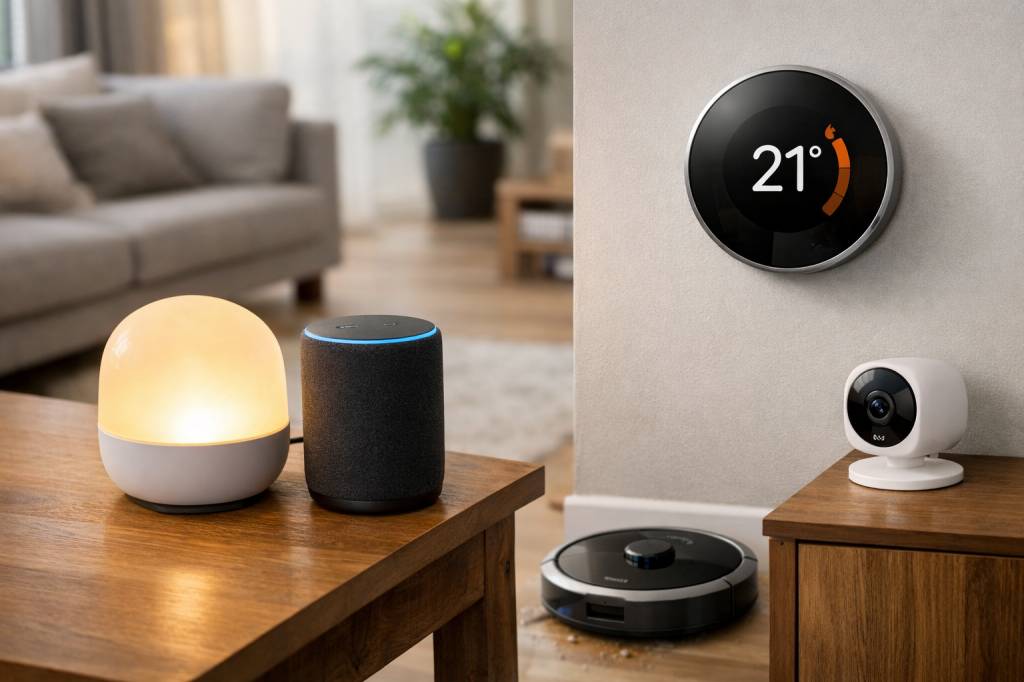
Most “smart” home gadgets promise a frictionless, futuristic life… and then end up as expensive dust collectors needing firmware updates. So let’s skip the hype. Which devices actually make your daily life easier, instead of adding one more app and three more notifications?
In this article, I’ll walk you through smart home gadgets that genuinely improve comfort, security, and energy efficiency – without requiring a degree in systems engineering to set them up. Think of it as a survival kit for a home that’s really smart, not just connected.
Smart lighting that doesn’t feel like a sci‑fi movie set
Smart bulbs were among the first connected devices to go mainstream – and also among the first to disappoint when they flicker, desync, or stop working if the Wi‑Fi coughs. Still, good smart lighting can be a game changer, especially if you focus on three aspects: ergonomics, automation, and energy use.
What actually helps:
- Smart bulbs or switches with physical controls
Look for systems that work both via app/voice and via a classic wall switch. A smart home that stops working when someone turns the light off the “old way” is not smart, it’s hostile.
- Scene presets instead of infinite color options
You don’t need 16 million colors. You need two or three useful scenes: bright white for focus, warm white for evenings, dimmed night mode. Most users stick to these after the first week of color experiments.
- Motion and presence detection
A hallway or bathroom light that turns on when you enter and off when you leave sounds trivial, but it makes a difference several times a day. In families with kids, it can also mean fewer “Why are all the lights on?” moments.
If you’re hesitating between smart bulbs and smart switches, a simple rule of thumb:
- Smart bulbs are ideal for renters and for lamps that plug into an outlet.
- Smart switches are better for owners and for rooms with many bulbs on one circuit (living rooms, kitchens).
In both cases, check compatibility with at least one major ecosystem you already use (Google Home, Alexa, Apple Home). No one wants three different apps just to turn off the living room.
Smart plugs: the easiest entry point to automation
If you’re going to try only one smart home gadget, make it a smart plug. They’re cheap, flexible, and can instantly upgrade “dumb” devices like lamps, fans, coffee machines, or dehumidifiers.
Where smart plugs shine:
- Routine automations
Want your coffee machine to pre-heat at 7:00 AM on weekdays? Or your bedroom lamp to turn off automatically at midnight as a gentle “go to bed” reminder? Smart plugs do this without touching your appliances.
- Energy monitoring
Some models show real-time and historical consumption. Plug your TV setup or gaming PC into one for a week and you might be surprised by the numbers. That data can help you decide where energy-saving efforts are actually worth it.
- Remote control for peace of mind
Ever left home wondering, “Did I turn off the iron?” With a smart plug, you can check and cut power from your phone.
Look for plugs that support schedules, energy monitoring, and local control (they keep working even if the cloud service goes down). Also, check the maximum power rating so you don’t accidentally connect a heavy-duty appliance to a device not designed for it.
Smart thermostats and heating controls that pay for themselves
Heating and cooling typically account for the biggest share of a home’s energy bill. A smart thermostat or smart radiator valves don’t just add comfort; they can actually save you money if you use them correctly.
The useful features are surprisingly down-to-earth:
- Programmable schedules
Heat when you’re home, save when you’re out. Yes, classic thermostats can do this, but smart versions make changing schedules faster and easier, so you’re more likely to actually use them.
- Zone control
Do you really need the guest room as warm as your office every day? With smart radiator valves or zone controls, you can heat only the rooms in use and keep the others cooler.
- Remote adjustments
On the train back from a weekend away? Turn the heating back on from your phone and arrive to a warm home instead of waiting an hour.
Many manufacturers promise “AI” that learns your habits. In reality, the most value usually comes from:
- Simple, well-thought-out schedules.
- Clear insights about your consumption (graphs you can actually read).
- Alerts when something is off, like an open window detected by a sudden temperature drop.
Before you buy, check compatibility with your current boiler or heating system. And if you live in a rented apartment with shared heating, smart radiator valves might be more realistic than a full thermostat upgrade.
Video doorbells and smart locks that improve security, not anxiety
Security gadgets can easily fall into the “more stress than value” category – constant motion alerts, false alarms, or privacy concerns. But a few carefully chosen devices can genuinely make life easier, especially if you receive a lot of deliveries or live in a building with shared access.
What a good video doorbell does for you:
- Answer from anywhere
You’re at work, your parcel arrives, the driver rings, you can speak to them via your phone. No more “we missed you” stickers.
- Clear footage and good night vision
If an incident happens at your door, it’s either visible or it’s not. 1080p resolution and decent low-light performance are the minimum baseline.
- Reasonable notifications
Look for features like “people detection” or “package detection” instead of pure motion alerts. Otherwise, your doorbell will notify you every time a car passes in the street.
For smart locks, the real-world benefits are simple:
- No more hiding spare keys under mats.
- Temporary digital keys for guests, cleaners, or Airbnb stays.
- Notifications when kids get home (if you have teenagers, you might consider this a feature or a bug).
However, smart locks also come with risks. Before buying, ask yourself:
- What happens if the battery dies? Is there a physical key override?
- Where is the data stored, and what happens if the company shuts down?
- Is the lock certified according to your country’s security standards?
A smart lock should reduce friction, not create the nightmare scenario of being locked out of your home because an app froze.
Smart speakers and displays as the real “home hub”
In many homes, the first smart device wasn’t a bulb or a thermostat – it was a smart speaker. Voice assistants can quickly become the main interface for your gadgets, especially for non-technical family members.
When are they actually useful?
- Hands-free control
“Turn off all the lights,” “Set the temperature to 21 degrees,” “Start the robot vacuum” – these are the kind of commands that feel natural when you’re cooking, working, or just too comfortable on the couch.
- Quick information
Weather, timers, conversions while cooking, calendar reminders – many users end up using their speaker more as a smart kitchen assistant than a music device.
- Household coordination
Broadcast messages (“Dinner is ready”), shared shopping lists, or family reminders can help keep everyone synchronized without another group chat.
Smart displays add visual components: live camera feeds at the door, recipe videos, photo frames. They make sense in kitchens, living rooms, or home offices.
On the flip side, be aware of the trade-offs: these devices constantly listen for wake words, and you’re relying on large tech companies for voice processing. If privacy is high on your priority list, check which features can be disabled or run locally and review your voice history regularly.
Robot vacuums that really clean, not just wander around
Early robot vacuums had a tendency to get lost, stuck on carpets, and slowly draw artistic patterns in dust instead of actually cleaning it. Things have improved – a lot – but only if you choose wisely.
Look for these features if you want a robot that reduces chores instead of adding babysitting duties:
- Mapping and room recognition
Modern models build a map of your home and let you name rooms. This lets you say things like “Clean the kitchen and hallway” instead of launching a chaotic full-house run.
- Obstacle detection
Better models use LiDAR or smart cameras to avoid cables, socks, and pet toys. If you have pets, look for brands that explicitly mention pet-waste detection (you do not want details on why).
- Scheduled cleaning
Set it to run when you’re out. You come back to clean floors without ever hearing the noise.
- Docking and auto-emptying
A base station that empties the dustbin extends maintenance intervals. It’s not essential but it definitely boosts the “set and forget” factor.
A robot vacuum won’t replace a deep clean, but it can keep daily dust and crumbs under control. Over time, it turns vacuuming from a frequent task into an occasional one – which is exactly the kind of “smart” impact that matters.
Air quality monitors and purifiers for healthier indoor spaces
We spend a big part of our lives indoors, yet many homes have surprisingly poor air quality: fine particles from outside, volatile organic compounds (VOCs) from furniture and cleaning products, humidity issues, and CO₂ buildup in poorly ventilated rooms.
Here’s where smart devices help in a very concrete way:
- Air quality monitors
These devices track CO₂, VOCs, humidity, and sometimes particulate matter (PM2.5). The point isn’t to obsess over every graph, but to spot patterns: “The bedroom CO₂ climbs too high at night,” or “Cooking without the hood spikes particles.”
- Smart air purifiers
Purifiers with HEPA filters can automatically adjust speed based on pollution levels. Instead of running full blast all day, they ramp up when needed (for example, after cooking or opening windows overlooking a busy road).
To make them genuinely useful, integrate them into simple automations, such as:
- “If PM2.5 exceeds a defined threshold, turn purifier to high speed.”
- “If humidity falls below 40%, start the humidifier.”
- “Send a notification when CO₂ exceeds a certain level in the office” – a good reminder to take a break or open a window.
The result is less about gadget satisfaction and more about long-term comfort: fewer headaches, better sleep, better focus in your home office.
Smart kitchen essentials that actually save time
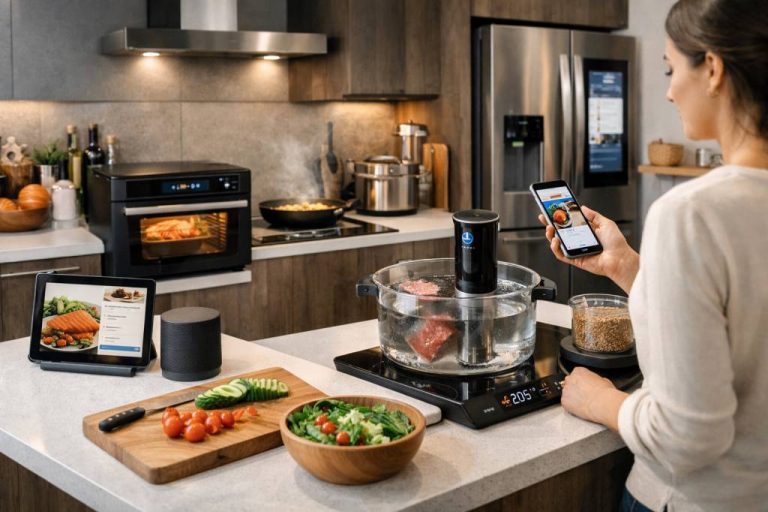
The kitchen is where many smart devices fail spectacularly: connected fridges with giant touchscreens, Wi‑Fi-enabled forks, or overly complex recipe apps. But a few targeted gadgets do make life easier on a daily basis.
Concrete examples:
- Smart scales and thermometers
Instead of a connected oven that needs a firmware update, a digital thermometer with probe and app support can save roasts, bread, and steaks by giving you precise internal temperatures and alerts when your target is reached.
- Smart plugs for existing kitchen appliances
Pairing your old coffee machine with a smart plug is often more effective (and cheaper) than buying a fully connected coffee maker you’ll never configure.
- Voice-controlled timers and lists
An assistant in the kitchen shines for things like “Set a timer for the pasta for 8 minutes” or “Add tomatoes to my shopping list” when your hands are busy.
The common thread: the best “smart” kitchen tools respect how you already cook and add precision or convenience without trying to reinvent the entire experience.
How to build a smart home that stays simple
A final point: individual gadgets matter less than the overall ecosystem. If every new device requires its own app and login, your “smart” home quickly becomes an IT project.
To keep things under control, a few principles help:
- Choose a main ecosystem
Google Home, Amazon Alexa, Apple Home, or an open-source hub like Home Assistant – pick one central brain and check compatibility before buying anything. The upcoming Matter standard is designed to make devices more interoperable, but we’re still in a transition phase.
- Start with real problems
Ask yourself: which daily action annoys you the most? Crossing a dark hallway with full hands? Forgetting to turn off heating? Missing deliveries? Let those answers guide your purchases instead of trending lists.
- Prefer few well-configured automations over dozens of half-baked ones
A handful of reliable routines are worth more than 30 “smart scenes” you forget exist. If you need a diagram to remember how your lights behave, something went wrong.
- Watch for subscription traps
Some cameras, doorbells, or cloud services look affordable until you discover the monthly fee for basic features. Factor that cost into your decision from the start.
Ultimately, the best smart home gadgets are the ones you stop thinking about. They quietly take care of small, repetitive tasks: adjusting the temperature, managing lights, keeping the floor reasonably clean, or making sure you never again ask, “Did I lock the door?”
If a device demands constant attention, complex troubleshooting, or regular app visits just to do its job, then despite all the marketing, it’s not making your life easier – it’s just another notification generator. The good news is that with a bit of selectivity and a focus on real needs over flashy features, your home can be both connected and genuinely comfortable.